UTM parameters for social media, with a naming scheme that works
UTM parameters tell your analytics which social post sent a visit. Learn the three to use, a naming scheme for each network, and how GA4 files the traffic.
Эта статья доступна только на английском.
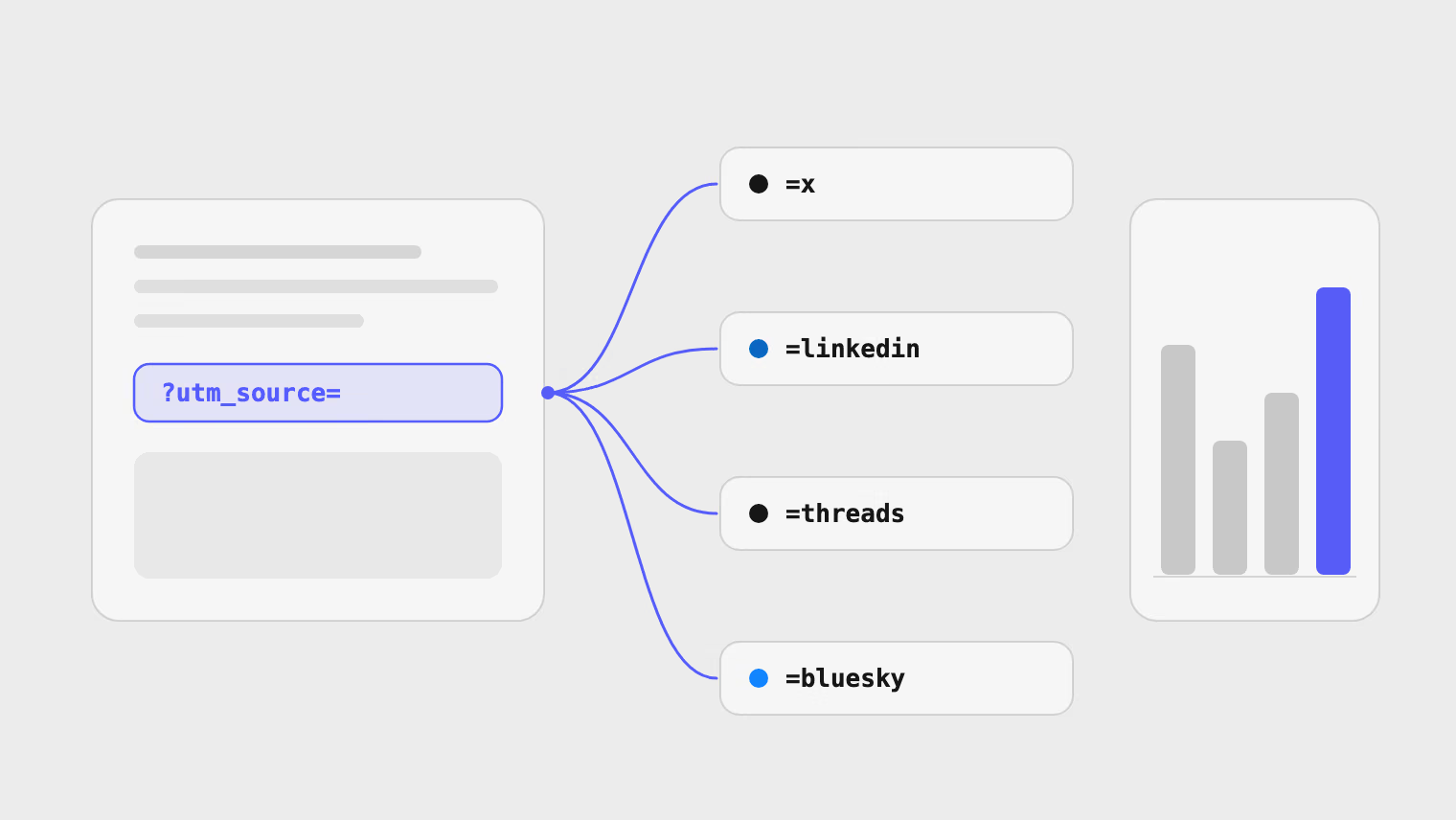
UTM parameters are short tags you add to the end of a link so your analytics can tell which post sent a visit. Use three of them on every social link: utm_source (the network), utm_medium (the kind of traffic) and utm_campaign (the launch or theme). A tagged link looks like this:
https://example.com/pricing?utm_source=linkedin&utm_medium=social&utm_campaign=spring-launch
The visitor sees the same page. Your analytics reads the tags and files the visit under LinkedIn, social, spring-launch. Without them, much of your social traffic lands in "direct" or in a vague referral bucket, and you cannot say which post earned a sign-up.
This guide covers the parameters, a naming scheme you can copy, how Google Analytics 4 (GA4) sorts the result, the rules each network adds, and the mistakes that quietly ruin the data. The steps use Publedia's composer, but the tagging advice works with any tool.
The five parameters you will use
Google's documentation lists seven parameters that GA4 reports (utm_id, utm_source, utm_medium, utm_campaign, utm_source_platform, utm_term and utm_content). It says to always use source, medium and campaign. For organic social, utm_content is the fourth worth having. utm_term is meant for paid search keywords, so most social links leave it out.
| Parameter | What it answers | Example value |
|---|---|---|
utm_source | Which network sent the visit? | linkedin |
utm_medium | What kind of traffic is it? | social |
utm_campaign | Which launch or theme was the post part of? | spring-launch |
utm_content | Which post, or which version of it? | 2026-03-12-pricing-tips |
utm_term | Which keyword? (paid search only) | Leave out |
Source and medium are the two people mix up most. The source is the place, such as x or facebook. The medium is the category, and for every organic post it should be the same word: social. That consistency is what lets you add up all your social traffic later.
A naming scheme to copy
The values are case sensitive. Google's example is that utm_source=google and utm_source=Google are reported as different sources. If one person writes LinkedIn and another writes linkedin, you get two rows for one channel. Agree on a scheme once and write it down.
A scheme that holds up:
- Lowercase only. No capitals anywhere in a value.
- Hyphens, not spaces. Spaces turn into
%20and make links hard to read. - One source name per network.
x,linkedin,facebook,threads,bluesky,youtube. Pick one spelling for each and keep it. - One medium for organic posts.
social. - One campaign name per launch. Every post about the same launch shares it, on every network.
utm_contenttells posts apart. Use the date and a short post slug, or a version label such asshort-aandshort-bwhen you test two texts.
Here is what that looks like for one launch post sent to four networks. Only utm_source changes, and utm_content stays the same so you can compare the networks for the same post.
| Network | Link |
|---|---|
| X | https://example.com/pricing?utm_source=x&utm_medium=social&utm_campaign=spring-launch&utm_content=2026-03-12-pricing-tips |
https://example.com/pricing?utm_source=linkedin&utm_medium=social&utm_campaign=spring-launch&utm_content=2026-03-12-pricing-tips | |
| Threads | https://example.com/pricing?utm_source=threads&utm_medium=social&utm_campaign=spring-launch&utm_content=2026-03-12-pricing-tips |
| Bluesky | https://example.com/pricing?utm_source=bluesky&utm_medium=social&utm_campaign=spring-launch&utm_content=2026-03-12-pricing-tips |
A spreadsheet with one row per campaign and a column per parameter is enough to keep names consistent. Google also offers a URL builder in its help pages if you prefer a form.
How GA4 files your social traffic
GA4 puts each session into a default channel group based on its source and medium. Two groups matter here, and Google's definitions are specific.
- Organic Social: the source matches a list of social sites, or the medium is one of
social,social-network,social-media,sm, "social network" or "social media". - Paid Social: the source matches a social site and the medium matches
^(.*cp.*|ppc|retargeting|paid.*)$, which covers values such ascpc,ppc,retargetingand anything starting withpaid.
Using social as the medium means your traffic lands in Organic Social even if a network's domain is not on Google's list of social sites. Check the exact rules in Google's default channel group article, since Google can change them.
Notes for each network
The tag is the same everywhere. What changes is how the network counts the link and whether anyone can click it.
X
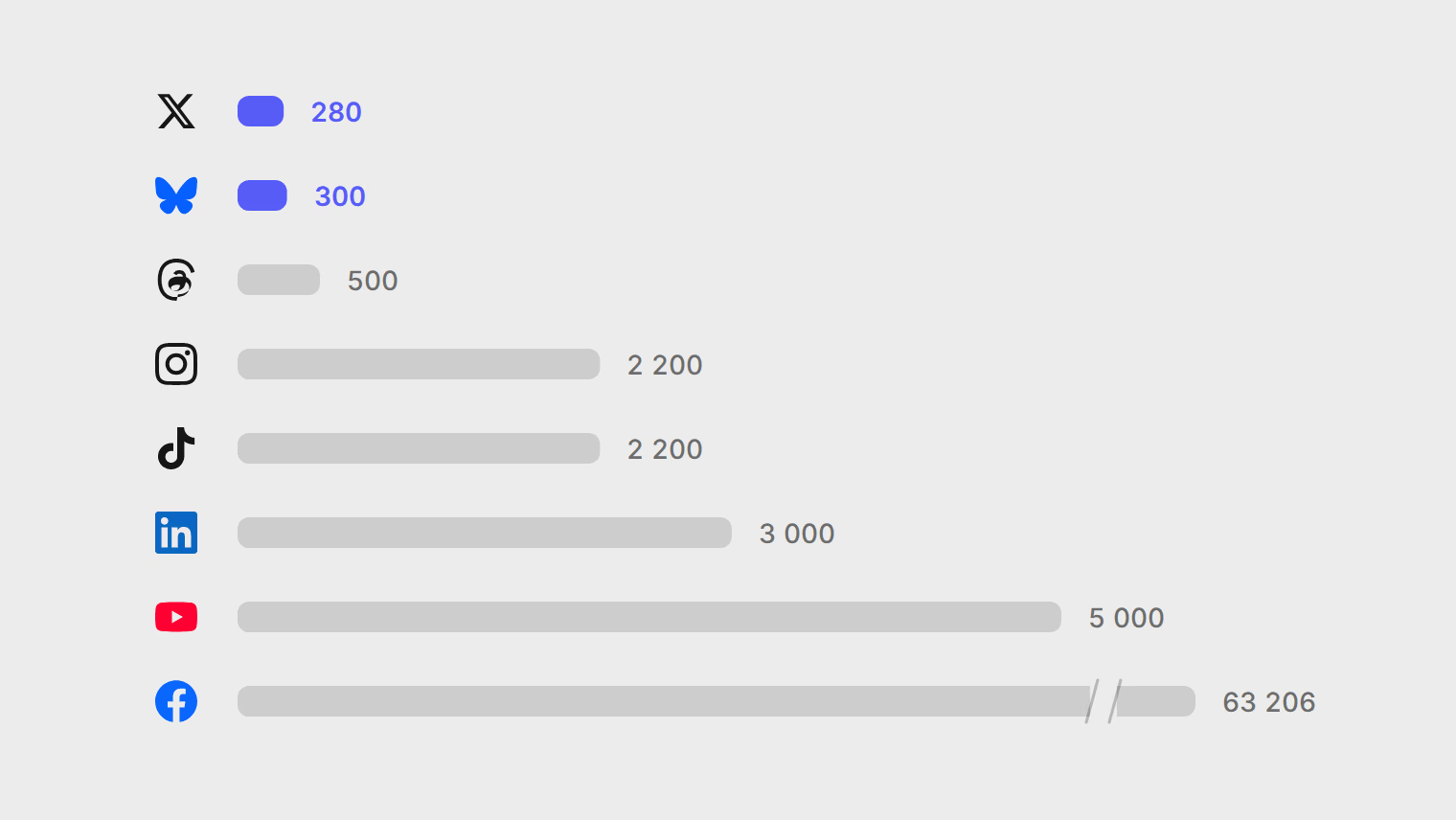
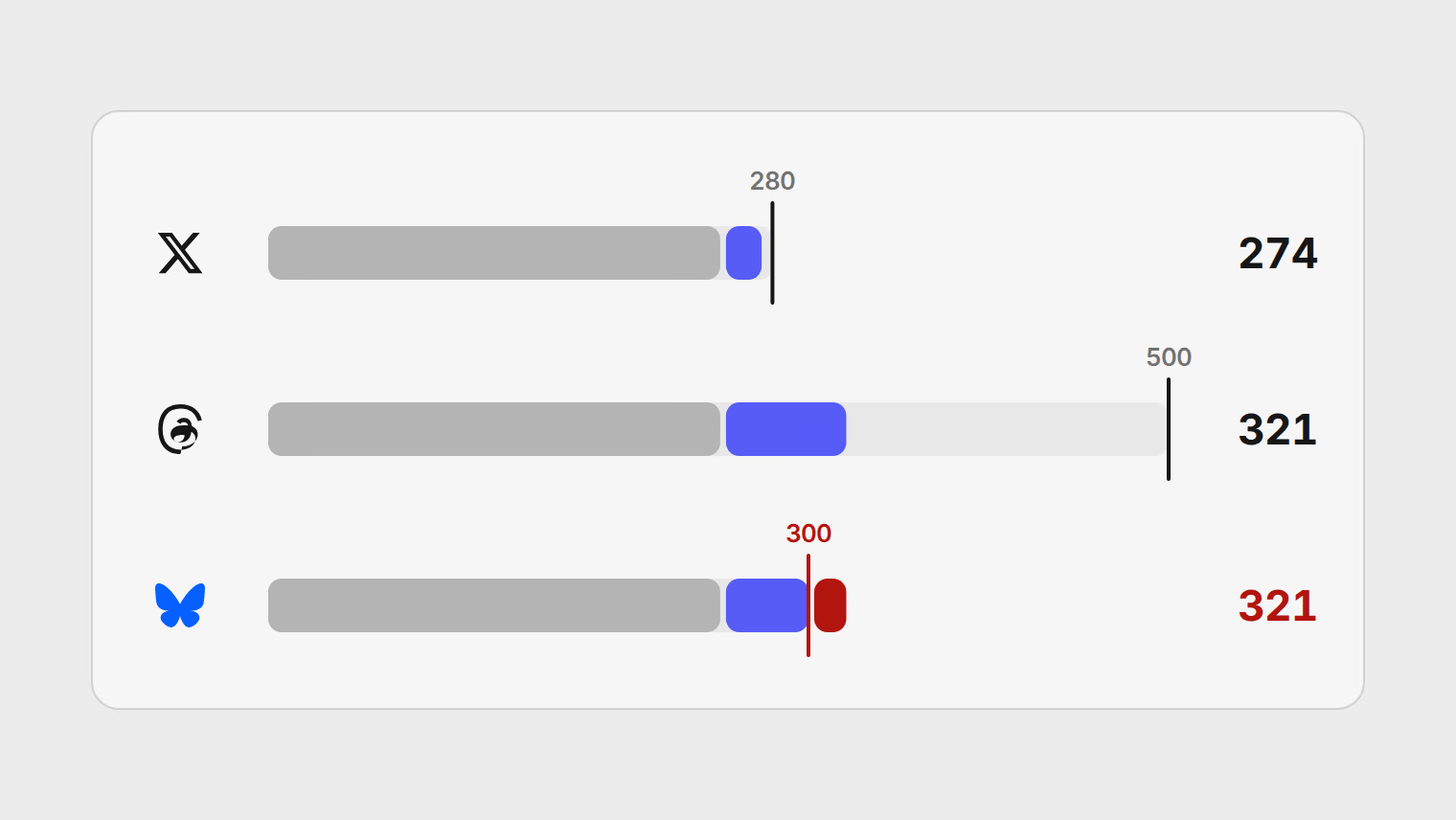
X counts every link as 23 characters, however long it is. A tagged link costs no more room than a bare one, so you can use a descriptive utm_content without trimming your text. Publedia's counter works the same way.
Bluesky
Bluesky counts the whole link, character by character (in graphemes), against its 300 limit. A link with four long parameters can take a large share of a short post. Keep the values short on Bluesky: utm_content=0312-tips costs less than a full slug. LinkedIn, Threads and Facebook also count the link's characters, so the same advice applies, though their limits are higher.
Instagram and TikTok
Links in Instagram and TikTok captions are not clickable. Tagging a caption link measures nothing, because nobody can tap it. Put the tagged link in your profile's link field or on a link page, with utm_source=instagram or utm_source=tiktok. You will then measure visits from the profile, not from one post. To tell posts apart, change utm_content each time you point the profile link at something new.
YouTube
Put the tagged link early in the video description, with utm_source=youtube, so viewers see it without expanding the description. If one video appears in several places, use a different utm_content for each.
For the exact limits per network, see the social media character limits guide.
Tag a cross-network post in the composer
Each network needs its own utm_source, so each network needs its own link. In Publedia that means a version per channel. The flow below follows the schedule a post help page.
- Select Create post, then Choose channels, and pick the networks for this post.
- Write the main text once, without the link, or with a link that has no
utm_sourceyet. - Select a channel's avatar above the editor and choose Write version.
- Adjust the text for that network and paste its tagged link, for example the one with
utm_source=linkedin. - Repeat for each channel, changing only
utm_source. Use Preview to check how the link reads on each network. - Watch the counter. The composer checks each version against its network's limit before you can schedule, so a long link on Bluesky is flagged before it goes out.
- Pick a time and select Schedule.
For the longer story on giving each network its own text, see how to cross-post to X, Threads and Bluesky. Once the traffic arrives, a social media report for clients shows how to present it.
Common mistakes
Mixed case. LinkedIn and linkedin are two different sources in your reports. Lowercase everything.
Tagging internal links. Do not add UTM tags to links between pages of your own site. Campaign tags are for links that bring people in. On internal links they can overwrite the source that actually brought the visitor, so the post that earned the visit loses credit.
Tagging links to other people's sites. If you share an article from someone else, the tags do nothing for you, because you do not control that site's analytics. They also make the link look messy to the owner.
Hiding the domain behind a shortener. A shortened link hides where it goes, and readers trust links they can read. Tag the full link and let the network display it, or use a short domain you own.
Changing names mid-campaign. If you rename spring-launch to spring-sale halfway through, your report splits in two. Fix the name before the first post, and keep a record of old ones.
Using paid mediums for free posts. See the warning above. It is the most common way to misread Paid Social.
Tagging where nobody can click. An Instagram or TikTok caption link gets no clicks. Use the profile link instead.
Start with one campaign: tag each network's link in its own version, then check Organic Social in GA4 a week later.
Источники
Темы
- UTM parameters
- Analytics
- Links
- Campaigns