X
Reply chains carry anything past 280 characters. Alt text included.
TextImageVideoPollThreadAlt textFirst commentReply chains
Caption280 chars
MediaUp to 4
Video2m 20s
Analytics: Impressions, Likes, Comments, Shares, Saves
Plan X posts, threads and polls on the same calendar as every other channel, connected directly to X.
Reply chains carry anything past 280 characters. Alt text included.
Analytics: Impressions, Likes, Comments, Shares, Saves
X connects directly through X's own sign-in, with no third-party service in between. You can also connect your own X developer app in workspace settings.
Write a post, then trim the X version or carry the rest into a thread before scheduling.
A scheduled X post or thread sits on the same calendar as every other channel.
Replies to your posts reach the inbox, where you can answer or hide them, by hand or with an automation.
Follow each post from scheduled to published, then see how it did in analytics.
Yes. Write each post of the thread in the composer and the whole reply chain publishes together.
Each plan includes a monthly allowance of posts to X, and a thread uses one for each post in it. Connect your own X app in workspace settings to publish without an allowance.
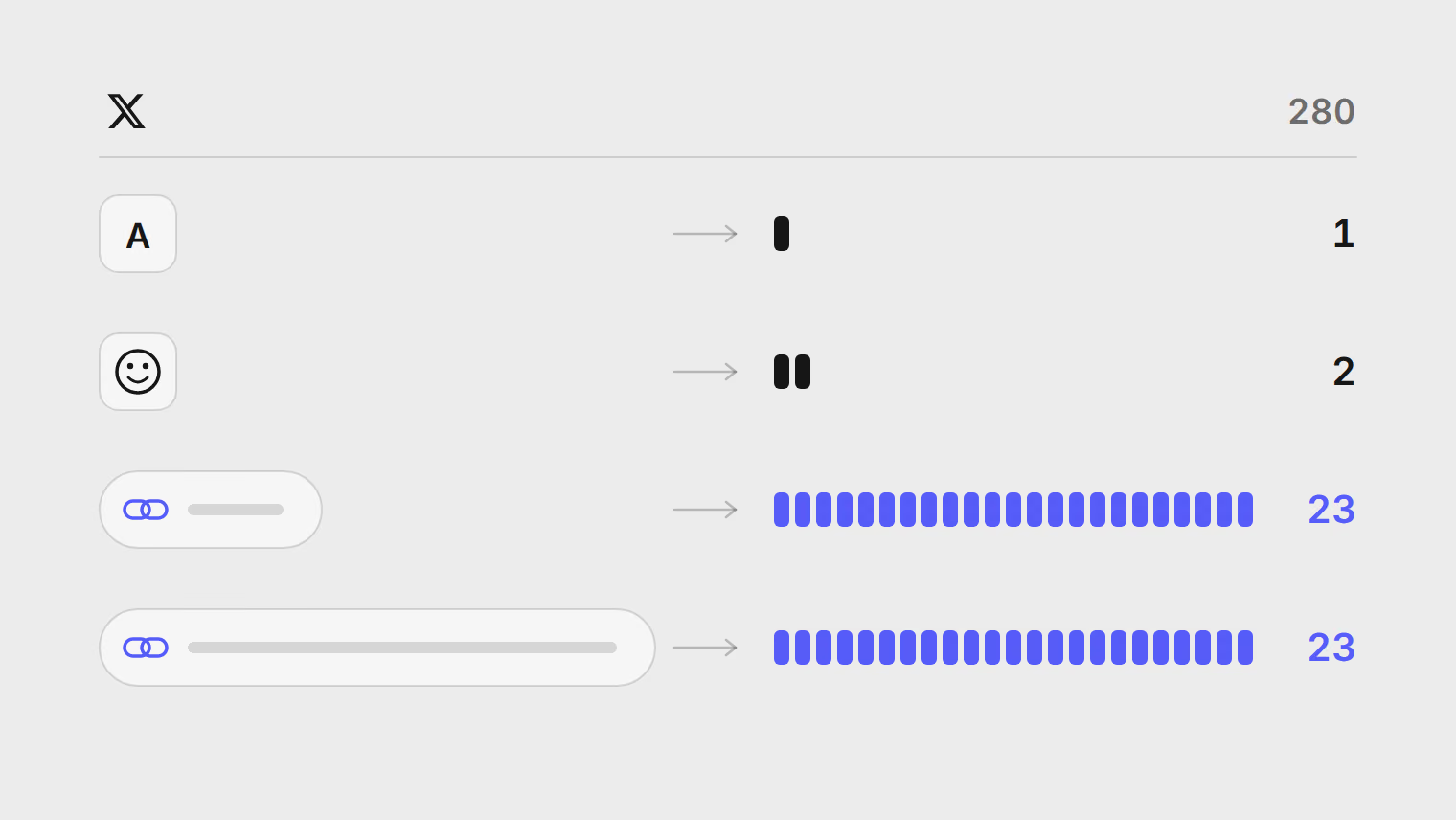
Yes. The composer counts the way X does: every link counts as 23 characters, and emoji and most non-Latin characters count as two.
Platform guides
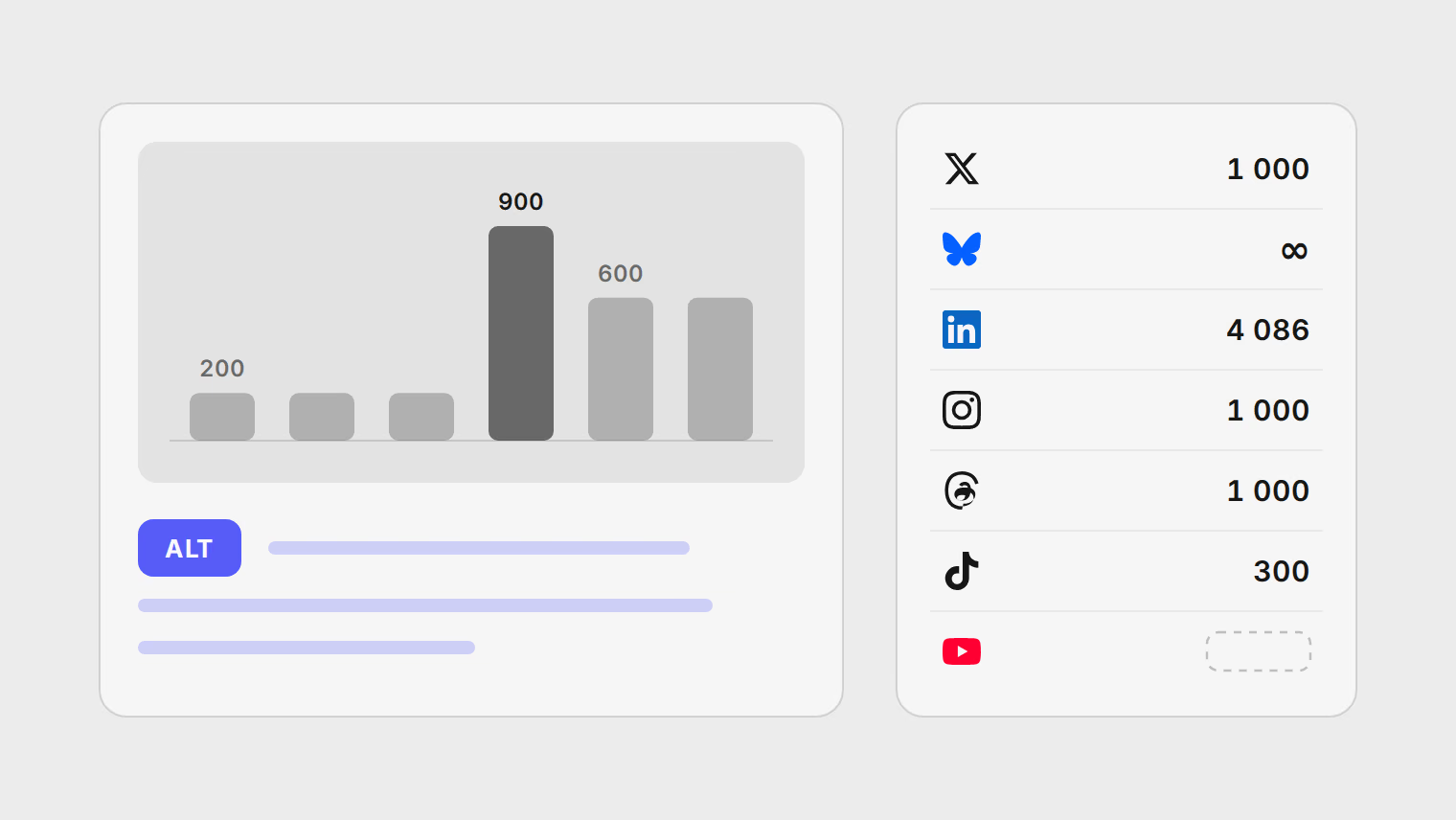
How to write alt text for screenshots, charts, quote cards, product photos and memes, the limit on each network, and what to do when a tool cannot send it.
Platform guides
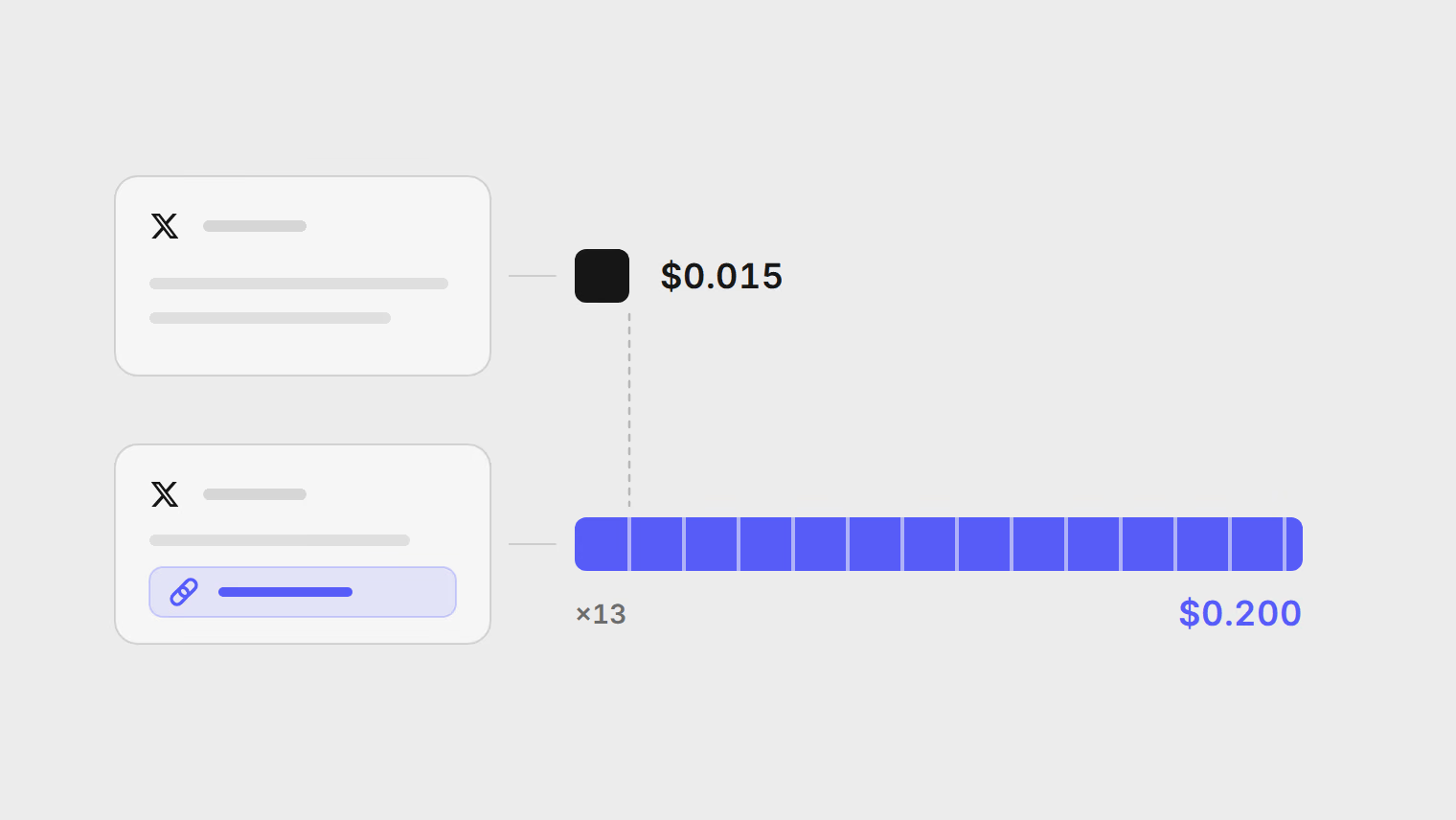
What X charges per post through its API, why schedulers cap posts to X, and how to choose between a monthly X allowance and your own X app, with worked costs.
Platform guides
Schedule X posts, threads and polls, learn how X counts characters and links, and see how the monthly X allowance works before you pick a plan.
Platform guides
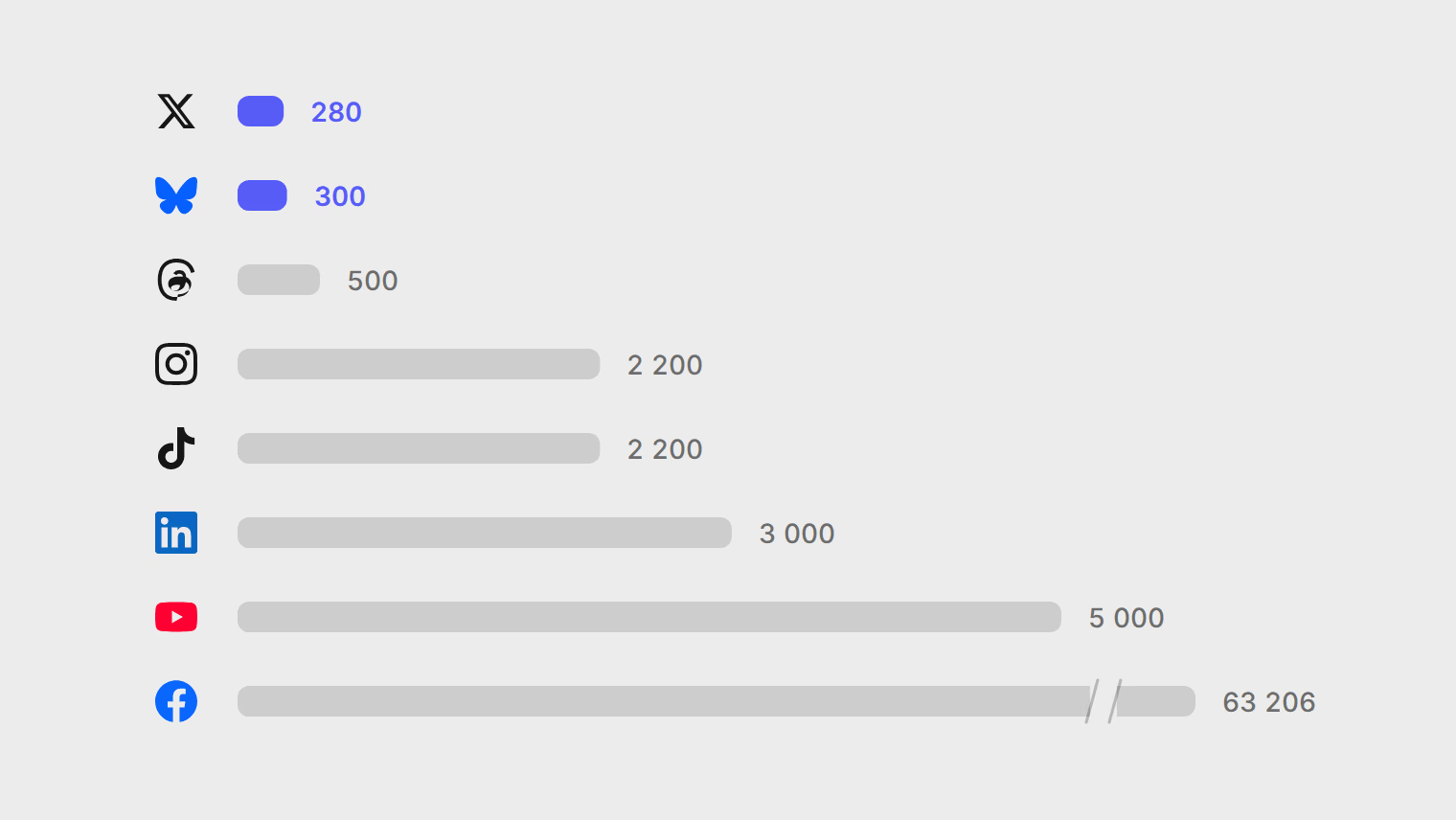
Caption limits, media counts, video lengths and formats for X, Threads, Bluesky, LinkedIn, Instagram, TikTok, YouTube and Facebook, and how each one counts.
Channels
How to connect X, YouTube, Bluesky, LinkedIn, Facebook, Instagram, TikTok and Threads to Publedia, and what each network needs from you first.
Integrations
Register an app on X, enter its OAuth 2.0 client ID and secret in Publedia, and reconnect your X channels so posts to X are no longer capped.
X